Know where your time actually goes.
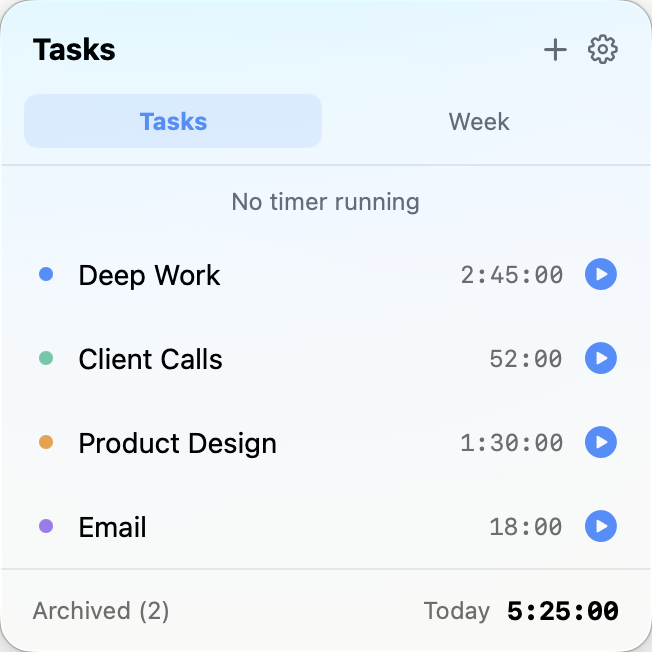
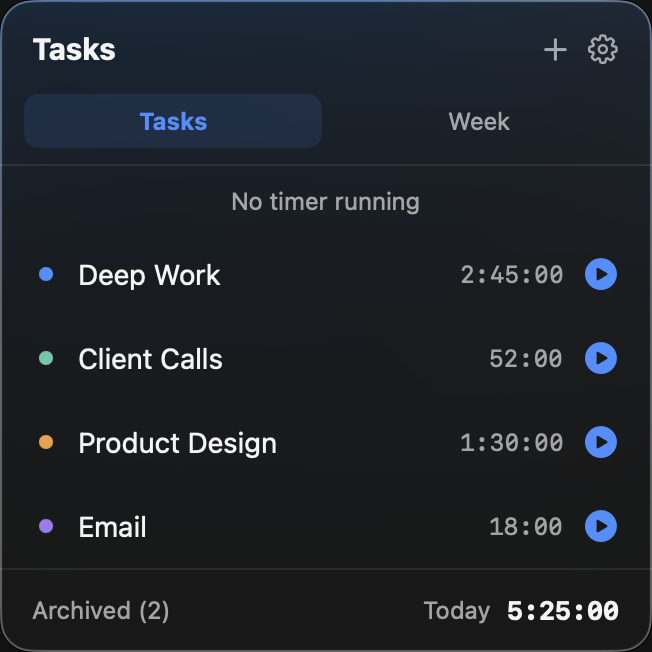
Task Timer Pro lives in your menu bar and tracks the time you spend on every task — start, stop, switch, and see the whole picture at the end of the day.
Requires macOS 14 Sonoma or later · Apple silicon & Intel
Built for the way you actually work
No projects to configure before you can start. Hit start, do the work, review later.
One-click timers
Start and stop right from the menu bar. Switching tasks is quick and effortless — the old timer stops automatically, so your time stays accurate down to the second.
Daily & weekly totals
See exactly where the hours went, broken down by task for today or the whole week.
Your data stays yours
Everything is stored locally on your Mac. No account, no tracking, no server.
Fast and native
Written in Swift for macOS. Launches instantly, sips battery, and feels like it shipped with the system.
Idle detection
Step away and Task Timer Pro notices, pausing the timer automatically. Come back and choose whether to add that idle time to the task or leave it out.
Fix the past
Forgot to hit start? Correct today's logged time for any task right from its edit screen.
A look inside
Light mode, dark mode, and every menu bar in between.